Assistive Technology
Mobility
  • INTRO
    • Syllabus >
      • Easter Seals of MA Norma
    • Case Study
  • AT BACKGROUND
    • AT Overview Presentation John >
      • AT Introduction Skye MacDonald
    • AT Blogging >
      • Educational Blogging
    • AT in Massachusetts
    • AT Organizations
    • AT Product Companies
    • AT Assessments >
      • Assessment
      • SETT Framework
    • AT for College Students
    • AT Continuum
    • AT Examples >
      • Low Tech Options
      • Color and Learning
    • AT Intro
    • AIM and NIMAS
    • APPS
    • Intro Videos
    • Introduction Materials
  • AT IN IEPs
    • ADHD in AT Dana Moody
    • Autism >
      • Autism and AT Brenna Hurley
      • APPS for Autism Brianne Syring
      • AT for Autism Mary Bowyer
      • Autism Apps Courtney Scherer
      • AT and Autism Emily Marchisio
      • Gluten/Casein Free Diet Alexandra
    • Behavior >
      • Behavior and AT Jamie Gentile
      • Behavior and AT Danny Ly
      • AT for Behavior/Emotional Nicole Snyder
      • Behavior Michelle Woods
    • Communication AAC >
      • Communication Devices Keeghan Hughes
      • Communication and AT Pauline November
      • AAC Jen Whitman
      • AAC Tools Gabrielle DAvolio
      • Communication Devices Elena Dellis
      • Augmentative Communication
      • Proloquo2Go Julie
      • AT and Downs Syndrome Eleanor Patz
    • Curriculums
    • Early Childhood
    • Executive Functioning >
      • AT and Nonverbal LD Dunia Dunner
      • Organization
      • Organizing
      • Graphic Organizers
    • Health >
      • ADD Tools Eilish Reynolds
    • Hearing >
      • AT and Hearing Needs Jamaal Womack-Hunt
      • AT Tools for Hearing Rebecca Pellegrine
      • American Sign Language Sarah
    • IEP >
      • 504 and IEPs Erica David
      • Transition from an IEP
    • Inclusion >
      • 21st Century Skills >
        • 21st Century Learning
    • Mobility >
      • Physical >
        • AT Tools for Physical Needs Meredith Chen
        • Adapted Physical Education Katie Alsip
      • Mobility Toni-Ann Capillo >
        • Motor Disabilities! Katie Alsip
        • Mobility Jennifer Albertini
      • Switches
      • Wheelchairs Alexandra S
      • Wheelchairs Kayla Grosso
      • Vision >
        • Visual AT Supports Christina Pressley
        • Blind and Deaf Resources Norma DeFilippo
  • LEARNING
    • Art
    • Interactive Learning Environments >
      • Interactives
    • Literacy >
      • Specific Learning Disability
      • Digital Storytelling
      • Dyslexia Tools Sara Cane >
        • AT and Dyslexia Joe DeRiso
        • AT and Dyslexia Marilyn Pratt >
          • Dyslexia and AT Connor Mahoney
          • AT for Dyslexia Olivia Pizzi
          • Dyslexia and AT Austin Rindfuss
      • Digital Storytelling II
      • Software for Students Demi Kalambokis
      • eBooks
      • AT for Language Impairments Ashley Simonet
      • Live scribe Catherine Perakis
      • Note Taking
      • Text-to-Speech
      • Writing and Keyboarding
      • AT in Writing Mychaela Kelly
      • Animation and Comics
      • AT for Writing Shannon Tuffy
    • Math >
      • M-Z >
        • Media Sharing
        • NYC
        • Open Source Resources
        • Service Dogs Daphne Sismanis
        • Social Media
        • Social Studies
        • Spanish
        • Speech Recognition Kathleen Conley
        • Flexible Seating Samantha Peter
        • Studying
        • Technology Integration
        • Universal Design for Learning
        • Web Tools Book
        • Whiteboards
      • AT in Math David Kain
      • Touch Math Andrew Cunningham
    • Music
    • Research Tools
    • Science
    • Social Training and AT Hannah Edgette
    • AT for Visual/Multiple Impairments Dominique Rousseau
  • RESOURCES
    • A-L >
      • APPS Learning Katherine Bonilla
      • Chromebook
      • Design Thinking Approach
      • Digital Learning Environments
      • Fine Motor Emily Bitchell
      • Games and Learning
      • General Resources
      • Google in Education
      • AT in Hospitals Nicole Macheska
      • Hippo therapy Meghan Lewis
      • Internet Safety
      • iPads
    • M-Z
  • CASE STUDIES
  • BLOG 2020
  • PROJECTS
    • Using Performance Tasks as Assessments Hailey Powers
    • The Importance of Diverse Literature in the Classroom Rachel Baltas
    • Anxiety in the Classroom Cassie Tourinho
    • How to Help Students with ADHD Karrington Kivlin
    • Assistive Technology for Deaf/Hard of Hearing Children Erin Turner
    • Assistive Technology for English Language Learners Faith Herity
    • Growth Mindset in Mathematics Hailey DeCoffe
    • Mindfulness Teaching Hallie Mansfield
    • Bullying Prevention = Safe Learning Environment Jill McRoy
    • Representation of Disabilities in Children's Books Jessica Allard
    • Dyslexia Brigid Avery
    • Multicultural Books in the Classroom Erin Ryan
    • Hippotherapy Sabrina Santaniello

                                                 Applications for Autism

Communication Support

Communication support is one of the more popular apps that people seek. Some of those who are diagnosed with autism have a difficulty communicating and there are apps out there that make it easy for people to communicated with just a touch of a button.
Picture
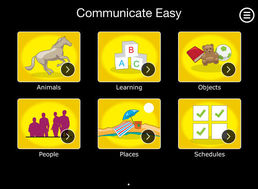
1 on 1: Communicate Easy
For: iPad
Cost: Free
Description: This app gives the ability to communicate via an iPad.
You can add pictures, symbols, and voices to words that makes
it easy for someone to click on the word they want and it communicates
that to others. This website also allows you to create schedules for everyone
to follow.
Click Here for a tour of the app


Picture
 AAC Speech Buddy
For: iPad,iPhone,iTouch,Android
Cost: $27.99
 Description: This app gives the ability to communicate for those
who have difficulty communicating. The app gives you the ability to
share your Augmentative and Alternative Communication board that
you created for everyone to use. Gives you your own option to record
your voice and your own visuals.

Picture
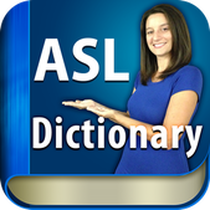
ASL Dictionary
For: iPad, iPhone, iTouch
Cost: $2.99
Description: For those who use sign
language to communicate there
are times where they forget the sign for some words
and that is where this app comes in. This app is a
dictionary for ASL where they have someone
demonstrate the sign that corresponds with the word.


Accessibility

Accessibility is another reason why people search for apps for those who are diagnosed with autism. The accessibility apps help with tasks in their lives that may be difficult for them. These two apps show some apps that help people with their everyday lives.
Picture
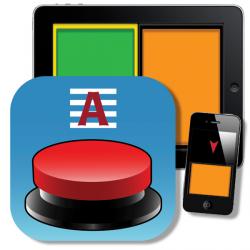
Attainment SWITCH App
For: iPad, iPhone, iTouch
Cost: $5
Description: This is an app that turns your device
into a wireless switch. You can have one to two button options
and can use your own images or ones they have provided.


Picture
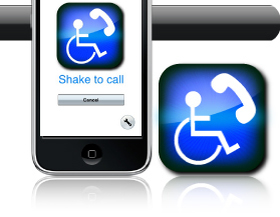
A Special Phone
For: iPhone
Cost:$5
Description: This app gives the ability to just simply shake your
phone and it calls up to 6 people. For example, shake once it calls
mom, shake twice it calls dad. This app uses picture representation
to easily identify who you want to call.


Created byErin Turner
Curry College
Updated November 23, 2020